
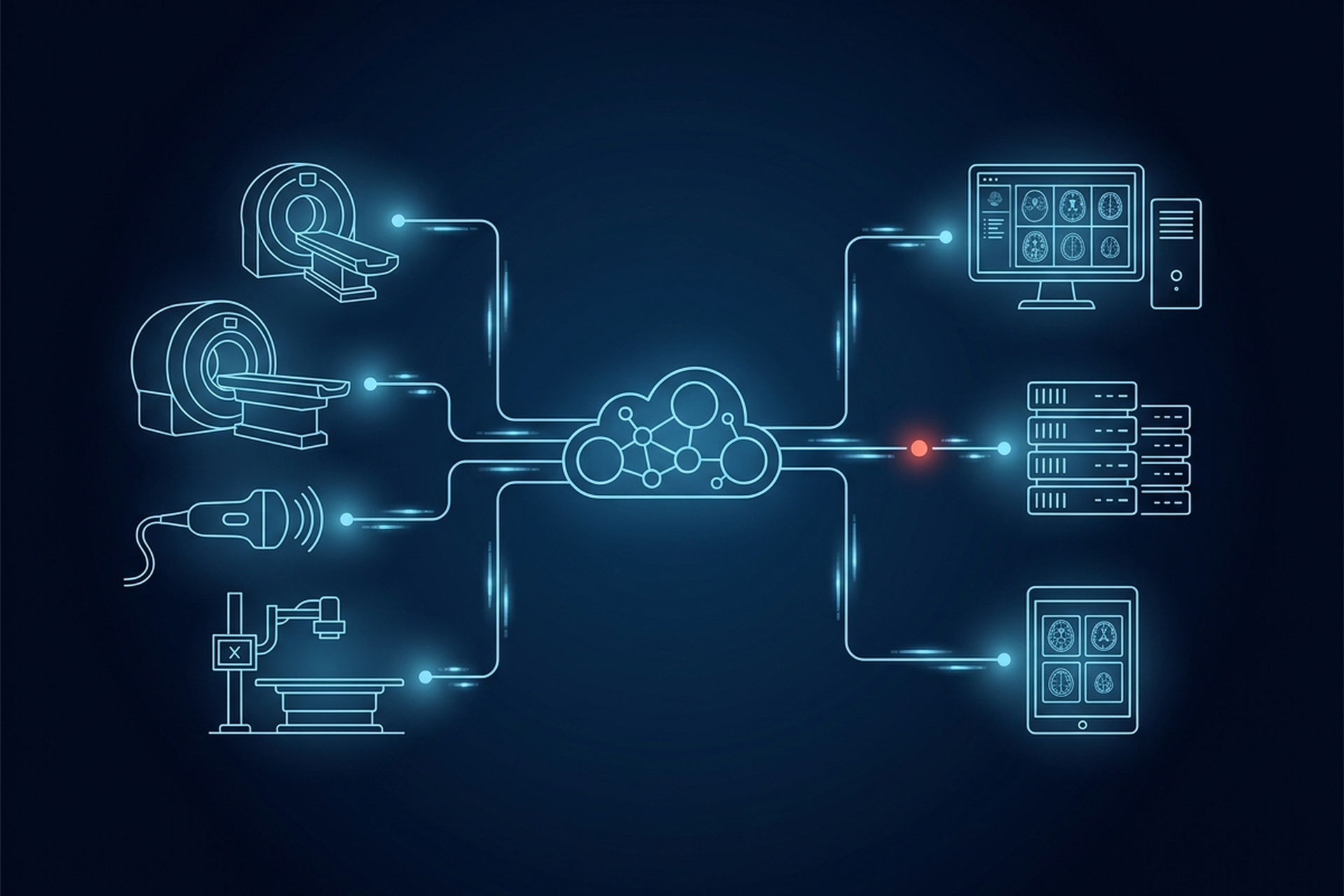
A vendor demo of PACS software is built to answer one question: can this system display an image well. Forty minutes in, you have watched someone window a chest CT and measure a nodule, and you still do not know whether the platform behind that screen can run a department. The viewer is the part every vendor shows first, because it is the easiest part to demo and the hardest to fake in a live room. The archive, the routing engine, and the administration console rarely make the slide deck, and those are exactly the subsystems where a thin build shows up later, months after the contract is signed.
PACS Software Is a Bundle, Not One Product
Ten subsystems sit behind that demo. Each one below gets the same treatment: what it does, what a thin implementation of it looks like, and the specific question that exposes the difference before you sign anything.
- Archive and storage tiering: where a study lives in year three, not on day one.
- The DICOM services layer: which network services the platform actually implements.
- The reading worklist: what a reader is handed next, and why that one.
- The diagnostic viewer: whether rendering and measurement hold up outside a demo.
- Routing and prefetch: getting the study and its priors staged before the read starts.
- Reporting integration: how a signed report gets back to whoever ordered the exam.
- User and access administration: who can view, export, and reconfigure, tied to a named account.
- Audit logging: a per-study record of who did what, produced on demand.
- Backup and disaster recovery: where the second copy lives, and when a restore was last tested.
- Deployment and update mechanism: how it gets installed, and who patches it afterward.
Archive and Storage Tiering
The archive is the long-term store, the system that indexes a study by patient, date, modality, and accession number so it can be found years later, not just today. A thin implementation treats storage as a flat, undifferentiated pool with no lifecycle policy, which is manageable at pilot scale and expensive the moment real volume arrives. A properly built archive separates recent, actively-referenced studies on faster storage from older studies that move to cheaper, slower tiers on a policy the buyer controls.
What to ask: what happens to a study once it ages out of the active review window, and can the vendor show the tiering policy in writing rather than describe the archive as unlimited storage. EPS Pi handles storage and local backup at the point of care as part of EBM mAIn PACS®, and a standalone vendor neutral archive is not part of what EBM offers in this market today. That specific layer gets evaluated on its own merits, the same as any other archive decision.
The DICOM Services Layer
Underneath acquisition, storage, and distribution sit four DICOM network services that most of a PACS actually runs on.
- C-STORE: moves a study into the archive.
- Query/Retrieve: lets a viewer ask what exists and pull it.
- Modality Worklist: feeds a scanner its scheduled-exam data.
- Storage Commitment: confirms a study saved before a modality deletes its own copy.
A thin implementation claims “DICOM-compliant” without saying which of the four it actually handles, or on which side of the exchange. DICOM compliance is self-declared, not certified, so the claim alone proves nothing.
What to ask: which of the four services does the platform implement, and can you see the conformance statement rather than the adjective. EBM mAIn PACS® publishes native DICOM C-STORE, Query/Retrieve, Modality Worklist, and Storage Commitment as its own services list, so a partner’s viewer or acquisition device connects against a documented surface instead of a claim.
The Reading Worklist
The reading worklist is the queue that tells a reader what to read next and who it is assigned to. It is not the same system as the DICOM Modality Worklist above, and the distinction is worth holding onto. MWL feeds a scanner its scheduled-exam data before acquisition; the reading worklist sits downstream of that, usually where a PACS meets a RIS. A thin worklist is a flat list in arrival order, with no priority logic and no fast path when an order changes upstream.
What to ask: when an order is canceled or rescheduled in the RIS, how fast does the reading worklist see it. Second, does assignment route by modality, priority, and reader specialty, or just by whoever is next in line. One detail to keep straight in that conversation: the RIS, or a broker in front of it, exposes the DICOM Modality Worklist as a DICOM service rather than over HL7. HL7 does its work upstream, getting the order into the RIS in the first place.
The Diagnostic Viewer
The viewer is where a study actually gets read: rendered, windowed, measured, and in many platforms, calibrated to the DICOM grayscale standard so gray steps look consistent across devices. It is also the one component every vendor demo covers in depth, which is exactly why it is the least useful place to spend your own evaluation time. A thin viewer hardcodes a single window setting or calculates a measurement without reading the study’s own pixel spacing, both of which look fine in a five-minute demo and fail on a real case.
What to ask: can a reader save and recall window presets, and does the viewer read pixel spacing from the study itself when it reports a measurement. Ask separately which specific component carries a regulatory clearance, and whether that clearance extends to the platform as a whole or to one device. On EBM mAIn PACS®, that clearance belongs to UDE alone: 510(k) clearance, as a Class II medical device, for that specific mobile workstation, not to the platform around it.
Routing and Prefetch
Getting the right study to the right reader, automatically, is a routing problem. Prefetch is what stages the relevant prior studies before a reader opens the current one, instead of making them wait on a live query mid-read. A thin implementation routes every study to one fixed destination and does nothing with priors until someone manually retrieves them. The gap is invisible in a demo loaded with a handful of sample files, and very visible the first time a reader stares at a spinner during a real case.
What to ask: does routing key on modality, body part, or priority, so an urgent study does not wait behind a routine one. Second, are prefetch windows configurable per reader or per protocol rather than fixed platform-wide.
Reporting Integration
Once a study is read, the signed report has to attach to it and route back to whoever ordered the exam, typically through the RIS. The RIS usually stays the system of record for the report and the billing event tied to it. A thin implementation stores the report only inside the PACS with no defined path back out, leaving that connection to be built later as a one-off integration project.
What to ask: how does a signed report route back out, and does that path carry the procedure and billing codes the RIS needs to close the encounter. Or does it stop at “the report exists somewhere in the system.” The supported integration surface on EBM mAIn PACS® is deliberately the DICOM side of that seam. The RIS side, order entry, scheduling, and the HL7 messaging that carries them, stays the RIS vendor’s responsibility to get right.
User and Access Administration
Administration is the layer that decides who can view a study, who can export one, and who can change how the system itself is configured. Each of those needs to be tied to an individual, identifiable account rather than a shared login. A thin implementation ships with one generic administrator account for the whole site and no meaningful separation between a reader’s permissions and a system configuration change.
What to ask: can every account be assigned a unique identity rather than a shared password, and can view, export, and configuration permissions be scoped separately by role. That level of access control, tied to individual accountability rather than a shared credential, is the same baseline HIPAA’s technical safeguards expect of any system handling protected health information. EBM mAIn PACS® is designed to support HIPAA compliance.
Audit Logging
Audit logging records who viewed, exported, or changed a specific study, and when, independent of whatever the access control layer allowed them to do. A thin implementation logs system-level events, logins, errors, uptime, but not the specific user-to-study actions that actually matter when a data access question comes up months later.
What to ask: can the vendor produce a report of every user who touched a specific study over a specific date range, on demand, without a support ticket and a week’s wait. That capability is not a nice-to-have layered on top of compliance. HIPAA’s technical safeguards include a standard specifically for it. That standard requires covered entities and their business associates to “implement hardware, software, and/or procedural mechanisms that record and examine activity in information systems that contain or use electronic protected health information.”
Backup and Disaster Recovery
Backup protects against losing data to hardware failure or a site-level disaster, and it is a different question from where the working archive lives day to day. A thin implementation keeps a single copy with no offsite or cloud-synced second copy, or maintains a backup that has never actually been tested with a real restore.
What to ask: where does the backup copy live relative to the primary system, and when was a full restore last tested, not just scheduled. HIPAA’s Security Rule requires procedures for responding to an event that damages a system holding protected health information. Those procedures include plans for backing up that data and restoring it so critical operations can continue. EPS Pi keeps a local backup at the point of care as part of EBM mAIn PACS®, designed to support HIPAA compliance.
Deployment and Update Mechanism
How a system gets installed and how it gets updated over its life is the last piece, and it is easy to skip past because it does not show up in a demo at all. A thin implementation requires an on-site visit for every patch, or leaves it genuinely unclear whether the vendor or the site’s own staff owns that responsibility.
What to ask: do software updates push remotely once the system is live, and what does the vendor’s stated deployment timeline actually include, a contractual commitment or a typical figure. EBM states a typical deployment time of about a day for EPS Pi, its own stated figure for its own appliance, not a guaranteed number.
What This Means for Your Evaluation
None of these ten components is optional, and none of them is what a vendor leads with in a first meeting. The viewer gets the whole demo because it is the easiest thing to show working. The archive, the worklist, the routing engine, and the administration console get built to whatever depth the vendor’s own roadmap has reached. A product team only finds out which depth that is by asking about each one specifically.
The same evaluation lens that applies to what a PACS actually does at the architecture level applies here at the component level. The test is not whether a platform can do the job in general, but whether each piece underneath it can answer a specific question with a specific mechanism. A vendor who can walk through all ten, component by component, is describing a platform that was actually built end to end. One who answers with “it’s a complete solution” and stops there has told you which parts of the demo to trust less.