
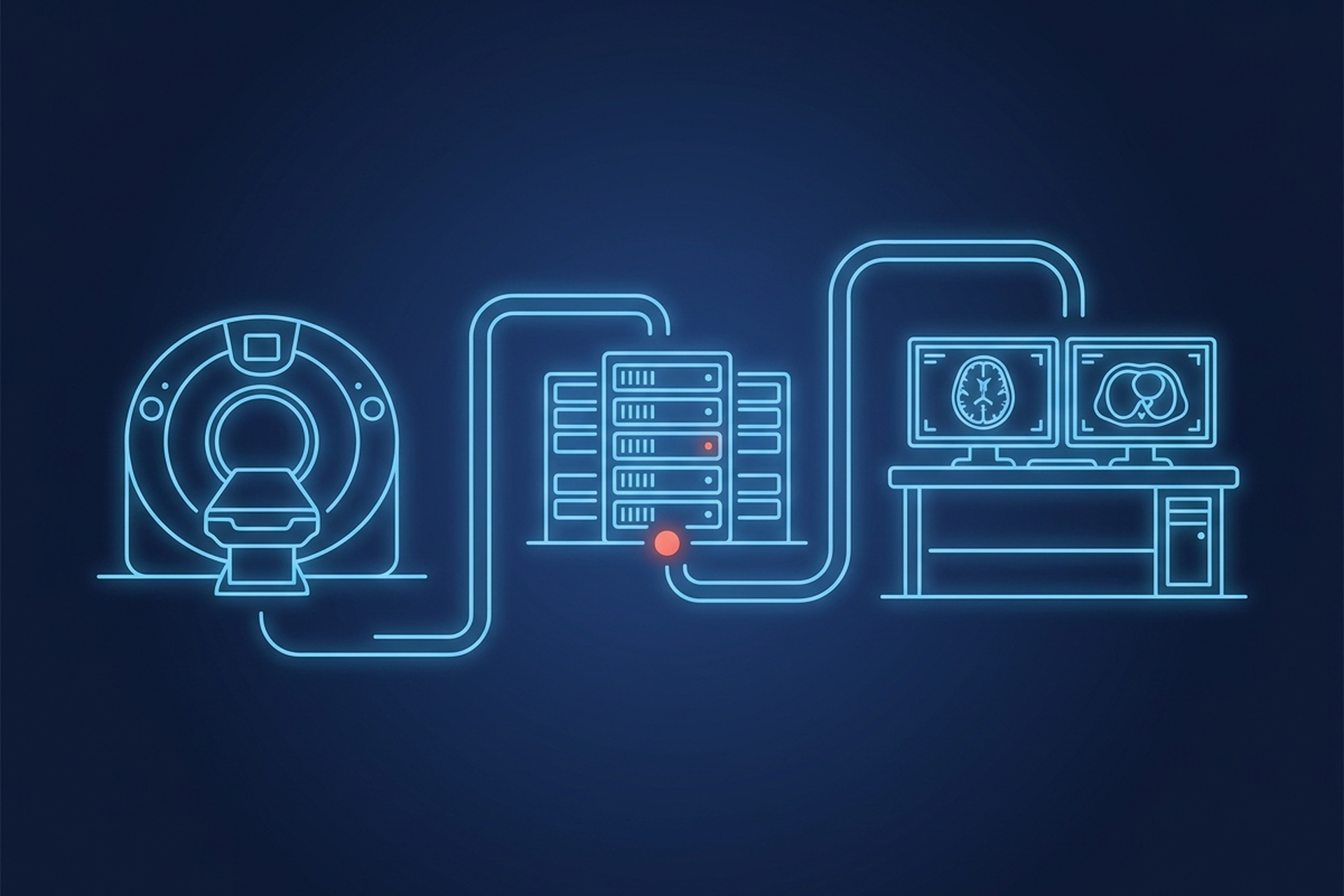
If you are evaluating whether to build imaging into your product or license a platform instead, “PACS” is the first term you have to get past. It shows up everywhere in vendor decks and gets explained nowhere at the level an engineer actually needs. This is that explanation.
What a PACS Actually Does
A PACS is the system that takes a medical image off a scanner and turns it into something a clinician can find, open, and act on. It has to do that anywhere the study is needed, for as long as the record has to exist. Strip away the marketing language and it reduces to four jobs:
- Acquire. Receive image data from a modality (CT, MRI, ultrasound, X-ray, endoscopy) the moment a study is produced. The modality initiates that transfer, not the PACS.
- Store. Archive that study with the metadata that makes it retrievable years later, not just today.
- Distribute. Get the right study to the right viewer, on the right device, on request.
- Report. Attach the read to the study, keep that study tracked on a worklist, and get the result back to whoever ordered the exam.
Everything else is built on top of those four jobs: mobile access, AI routing, offline operation. A system that does not reliably cover all four cannot carry an imaging operation on its own, no matter what the product page calls it.
The Components Under the Hood
Underneath the four jobs sit five components an engineer will touch during integration work.
Modality interface. The connection point where a scanner pushes a finished study into the system. This is where acquisition happens, and where a mismatched AE title, port, or transfer syntax first shows up as a dropped study.
Archive. The long-term store. Studies land here with their metadata intact so they can be found by patient, date, modality, or accession number instead of just by filename. A vendor-neutral archive is the same idea taken further: storage the organization owns and can migrate, independent of any single PACS vendor’s format or lifecycle.
Worklist. The queue that tells a reader what needs to be read, in what order, and who it is assigned to. One distinction worth keeping straight: this reading worklist is not the same thing as the DICOM Modality Worklist covered below, which feeds scheduled-exam data to the scanner before acquisition even happens. The reading worklist sits downstream, and it is usually where a PACS talks to a RIS (radiology information system).
Viewer. The diagnostic workstation, desktop or mobile, where a study gets read. Rendering fidelity, calibration, and measurement tools live here.
Distribution and sharing. The layer that moves a study to a referring physician, a remote radiologist, or a patient, without requiring everyone to be on the same network or the same vendor’s software.
How a Study Moves Through the System
Walk one study through the pipeline and the architecture stops being abstract.
- A scanner finishes an exam and pushes the resulting images to the PACS using a DICOM store operation.
- The archive writes the study, indexing it by the metadata embedded in the DICOM files: patient identifiers, accession number, modality, study date.
- The study is matched against the reading worklist, so it shows up in the right reader’s queue instead of a flat, undifferentiated list.
- A viewer asks the archive for the study, and the archive sends it to the destination configured for that request, whether that destination is on the same LAN or across the internet.
- The reader signs a report, which gets attached to the study and routed back to whoever ordered it.
- The study stays in the archive under a retention and lifecycle policy, available for the next query whenever it is needed again.
None of this is exotic. Studies are pushed in at acquisition and sent back out on request, with a queue and a standardized wire format holding the two halves together. The standardization is what makes step 4 work regardless of which vendor built the scanner in step 1.
Where the Standards Bind
The reason a CT from one manufacturer opens cleanly in a viewer built by a completely different company is DICOM. DICOM, Digital Imaging and Communications in Medicine, is the international standard for medical images and the data that travels with them, and it is what most of the pipeline above is built on. The DICOM standard is implemented in nearly every radiology, cardiology, and radiotherapy device in use. That is why an engineer scoping an imaging integration needs to know the specific services inside it, not just the acronym:
- C-STORE moves a study from a modality (or another system) into the archive. This is the acquisition step, and the modality is what opens the association.
- Query/Retrieve (Q/R) lets a viewer ask the archive what studies exist, then request that specific ones be sent. Watch the direction here, because it is the detail integration scoping most often gets wrong. The archive answers a retrieve by opening a C-STORE of its own to a named destination, which under C-MOVE does not have to be the system that asked.
- Modality Worklist (MWL) is what feeds a scanner the scheduled-exam details so a study arrives at the PACS already tagged with the correct patient and accession data instead of requiring manual entry.
- Storage Commitment is the acknowledgment a modality can request from the archive confirming a study was actually saved, before the modality safely deletes its own local copy.
DICOM covers the image and its acquisition context. It does not, by itself, cover broader clinical or administrative data exchange, which is where HL7 and its newer FHIR framework live. The two have different custodians: NEMA serves as the DICOM secretariat, while HL7 maintains its own standards. Those clinical-messaging standards address patient records, orders, and results outside the imaging pipeline itself.
A PACS integration and an HL7/FHIR integration are related problems that live in different parts of the stack. The reporting job from the top of this article sits right on that line. Attaching the read to the study happens inside the imaging pipeline; getting the result back to the system that ordered the exam generally crosses into the clinical-messaging side. Confirm with any vendor exactly which of the two, or both, their platform speaks.
Above the wire protocols sits Integrating the Healthcare Enterprise (IHE), which does not define new data formats but instead specifies how DICOM, HL7, and related standards get combined into actual clinical workflows. IHE profiles are why “DICOM-compliant” alone does not guarantee two systems will work together operationally: the standard defines the messages, IHE defines the sequence they get sent in.
Where PACS Deployments Break
Most PACS failures are not exotic bugs. They are architectural decisions that looked fine at pilot scale.
Storage growth with no lifecycle plan. Imaging data does not shrink. Without tiering or retention rules, the archive becomes the most expensive and least examined line item in the deployment.
Connectivity dependency. A cloud-only architecture has no fallback when the network drops, which matters a great deal at a bedside, a mobile clinic, or a rural site with unreliable internet. Offline-capable acquisition and edge processing exist specifically to remove this single point of failure.
Proprietary extensions posing as standards compliance. DICOM compliance is self-declared, not certified: the standard sets out what a conformance statement has to contain, but leaves testing and validation of that statement outside its own scope. A vendor can publish a clean conformance statement and still require custom middleware to talk to anything outside its own ecosystem. This is the gap between “supports DICOM” and “supports DICOM without a services contract.”
Worklist and RIS mismatch. When the PACS and the RIS come from different vendors, worklist synchronization is usually the first thing that breaks. The failure mode is silent: studies get read out of order or assigned to the wrong queue rather than throwing a visible error.
Any product or engineering leader scoping a build should treat each of these as a specific question to ask a vendor, not a general risk to note and move past.
Build It, Integrate It, or License a Platform
Once the components and the failure points are clear, an OEM or VAR product team has three paths. Build the pipeline in house. Integrate a toolkit piece by piece. Or license a platform that already does acquisition, archive, worklist, viewing, and distribution as one system.
Building from scratch means owning DICOM conformance testing, storage lifecycle management, and every edge case in modality behavior indefinitely, on top of whatever product the imaging pipeline was supposed to support. That is a real option for a team with deep DICOM expertise and a reason to differentiate at the protocol layer. For most product teams, it is not where the differentiation is.
EBM mAIn PACS® is one concrete instance of what the full pipeline described above looks like assembled. It comes as three pieces:
- EPS Pi, an edge appliance that handles storage, routing, and worklist at the point of care.
- UDE, a mobile diagnostic workstation for reading on an iPad.
- Mac mini, for clinics that need more horsepower or a centralized reading room.
All three connect through native DICOM services rather than custom middleware. UDE holds 510(k) clearance, as a Class II medical device, within its cleared indications for use, which exclude mammography. That clearance covers the specific mobile workstation, not the platform as a whole.
For a team evaluating whether to license rather than build, EBM Fabric™ is the partner-facing version of the same architecture. It is the same edge-to-cloud pipeline, packaged for an OEM or VAR to put its own brand on and integrate through open APIs. The product decision and the partner decision are the same question from two different seats. Does a product team want to own the imaging stack, or own the customer relationship built on top of it?
What This Means for Your Evaluation
Almost none of this shows up in a demo. Acquisition, storage, distribution, and reporting all behave on a handful of studies from one scanner. The architecture only declares itself at volume, on a bad network, or on the day a second vendor joins the deployment. The component list is what turns those failure conditions into questions you can ask before the money is committed.
The path a product team takes (building in house, integrating a toolkit, or licensing a platform that already does it) changes who carries the work, not whether the work exists. The four jobs still have to be covered end to end. A team that leaves them unexamined at evaluation ends up paying for them later in middleware, retrofits, and studies that arrive in the wrong queue.